Showing posts with label Video Editor. Show all posts

Tuesday, September 25, 2018

How To Install OpenShot Video Editor 2.4.3 released On Ubuntu 18.04

   OpenShot Video Editor is a free, open-source video editor for Linux. OpenShot can take your videos, photos, and music files and help you create the film you have always dreamed of. Easily add sub-titles, transitions, and effects, and then export your film to DVD, YouTube, Vimeo, Xbox 360, and many other common formats.


OpenShot 2.4.3 release highlights:
  • Masks and transitions can now be modified at any time, and can now use an image or video! This utilizes the grayscale of each frame and converts it into a mask, and can be used to create some really amazing effects.
  • Threading improvements help prevent crashing around effects (including masks and transitions), and improve performance on many systems.
  • Save frame button for quickly saving the current preview frame
  • Huge improvement to language translations

Sunday, December 24, 2017

How to Install Kdenlive 17.12.0 Video Editor on Ubuntu 17.04, 17.10

    Kdenlive is an open source video editor. The project was started around 2003. Kdenlive is built on Qt and the KDE Frameworks libraries. Most of the video processing is done by the MLT Framework, which relies on many other open source projects like FFmpeg, frei0r, movit, ladspa, sox, etc…


Kdenlive 17.12.0 Changelog:
  • Remove useless audio bitrate on pcm proxy encoding.
  • Update proxy profiles.
  • Make sure playlist proxies have an even height.

Wednesday, December 20, 2017

How to Install MKVToolNix 19.0.0 on Ubuntu 17.04, 17.10

    MKVtoolnix is a set of tools to create, alter, split, join and inspect Matroska files(mkv). With these tools one can get information about (mkvinfo) Matroska files, extract tracks/data from (mkvextract) Matroska files and create (mkvmerge) Matroska files from other media files. Matroska is a multimedia file format aiming to become THE new container format for the future. Use MKVCleaver or gMKVExtractGUI to extract/demultiplex mkv video and audio files.


MKVToolNix 19.0.0 Changelog:

Important notes
  • The MKVToolNix project now contains a [Code of Conduct](https://mkvtoolnix.download/doc/CODE_OF_CONDUCT.md).
  • The MKVToolNix project's source code repository, bug tracker and wiki have been moved to [GitLab](https://gitlab.com/mbunkus/mkvtoolnix/).

Thursday, December 7, 2017

How to install VidCutter 5.0.5 on Ubuntu 17.10, 18.04

    VidCutter is an open-source video trimmer app for Linux, Windows and macOS. It’s built using Python and Qt5, and uses FFmpeg as its decoding and encoding backend. It lets you cut, split or trim large video files in to smaller, easier to share clips.


VidCutter 5.0.5 Changelog
  • patch release mainly for users of the AppImage binary which has  been overhauled and tested on Ubuntu Trusty, Vivid + KDE Neon.    Also contains latest nightly binary of FFmpeg so SmartCut will    work properly (FFmpeg needs to be fairly recent for proper HEVC    and MPEG-4 Part 2 formats to work in SmartCut mode)
  • fixed timeline slider tooltip displaying time position to only appear when mouse is over the slider widget. this stops it from constantly appearing whenever media position changes. No longer displays constantly during playback unless mouse hovers above timeline.

Thursday, November 23, 2017

How to Install MKVToolNix 18.0.0 on Ubuntu 17.10

    MKVtoolnix is a set of tools to create, alter, split, join and inspect Matroska files(mkv). With these tools one can get information about (mkvinfo) Matroska files, extract tracks/data from (mkvextract) Matroska files and create (mkvmerge) Matroska files from other media files. Matroska is a multimedia file format aiming to become THE new container format for the future. Use MKVCleaver or gMKVExtractGUI to extract/demultiplex mkv video and audio files.


MKVToolNix 18.0.0 Changelog:
New features and enhancements
  • build system: when building with clang v3.8.0 or newer, configure will no longer restrict optimization flags to -O1 and use -O3 again (older versions of clang suffered from excessive memory usage with higher optimization levels).
  • build system: when building with mingw 7.2.0 or newer, configure will no longer restrict optimization flags to -O2 and use -O3 again (older versions of mingw suffered from bugs such as segmentation faults with higher optimization levels).

Sunday, November 19, 2017

How To Install OpenShot Video Editor 2.4.1 released On Ubuntu 17.10

   OpenShot Video Editor is a free, open-source video editor for Linux. OpenShot can take your videos, photos, and music files and help you create the film you have always dreamed of. Easily add sub-titles, transitions, and effects, and then export your film to DVD, YouTube, Vimeo, Xbox 360, and many other common formats.


OpenShot 2.4.1 release highlights:

  • Improved Image Quality : improved the image processing pipeline in OpenShot to create sharper images, by switching our image scaling algorithm, and most importantly, only scaling a frame once, as opposed to multiple times (which used to happen in certain scenarios). This results in a noticeably sharper image, and slightly better performance.

Saturday, November 18, 2017

How to install VidCutter 5.0 with New Features on Ubuntu 17.10

    VidCutter is an open-source video trimmer app for Linux, Windows and macOS. It’s built using Python and Qt5, and uses FFmpeg as its decoding and encoding backend. It lets you cut, split or trim large video files in to smaller, easier to share clips.


VidCutter 5.0 Changelog

  • SmartCut feature introduced for frame accurate cuts; beginning and end clip segments are reencoded and joined with middle segment for each clip defined in the Clip Index along source video's defined keyframes
  • SmartCut enabled via app settings as well as toggle button on the main interface. SmartCut can take up to 2 mins vs a few seconds so use it only if frame accuracy is a requirement

How to install LiVES Video Editor 2.8.7 Ubuntu 17.10

  LiVES is a Video Editing System. It is designed to be simple to use, yet powerful. It is small in size, yet it has many advanced features.


    LiVES mixes realtime video performance and non-linear editing in one professional quality application. It will let you start editing and making video right away, without having to worry about formats, frame sizes, or framerates. It is a very flexible tool which is used by both professional VJ's and video editors - mix and switch clips from the keyboard, use dozens of realtime effects, trim and edit your clips in the clip editor, and bring them together using the multitrack timeline.

LiVES 2.8.7 Changelog:  
  • Remove glad.h dependence on khr
  • Prompt for clip name when rendering to new clip
  • Fix autolives toy

Saturday, November 4, 2017

How To Install OpenShot Video Editor 2.4.0 released, Improved Stability On Ubuntu 16.04 & Higher

   OpenShot Video Editor is a free, open-source video editor for Linux. OpenShot can take your videos, photos, and music files and help you create the film you have always dreamed of. Easily add sub-titles, transitions, and effects, and then export your film to DVD, YouTube, Vimeo, Xbox 360, and many other common formats.


OpenShot Video Editor 2.4.0 Changelog:
openshot-qt (Video Editor)
  • Improving undo/redo support. Now the last X number of undo/redo actions are stored in the project file. The number can be adjusted in the prefences, under the auto-save tab. This also vastly improves the usefulness of the auto-save system, since it saves your undo/redo history as well.
  • Fixed Image Sequence exporting. Supports PNG, JPG, PPM, BMP and a few others. Also added 'Audio Only' and 'Video Only' export options.

Friday, November 3, 2017

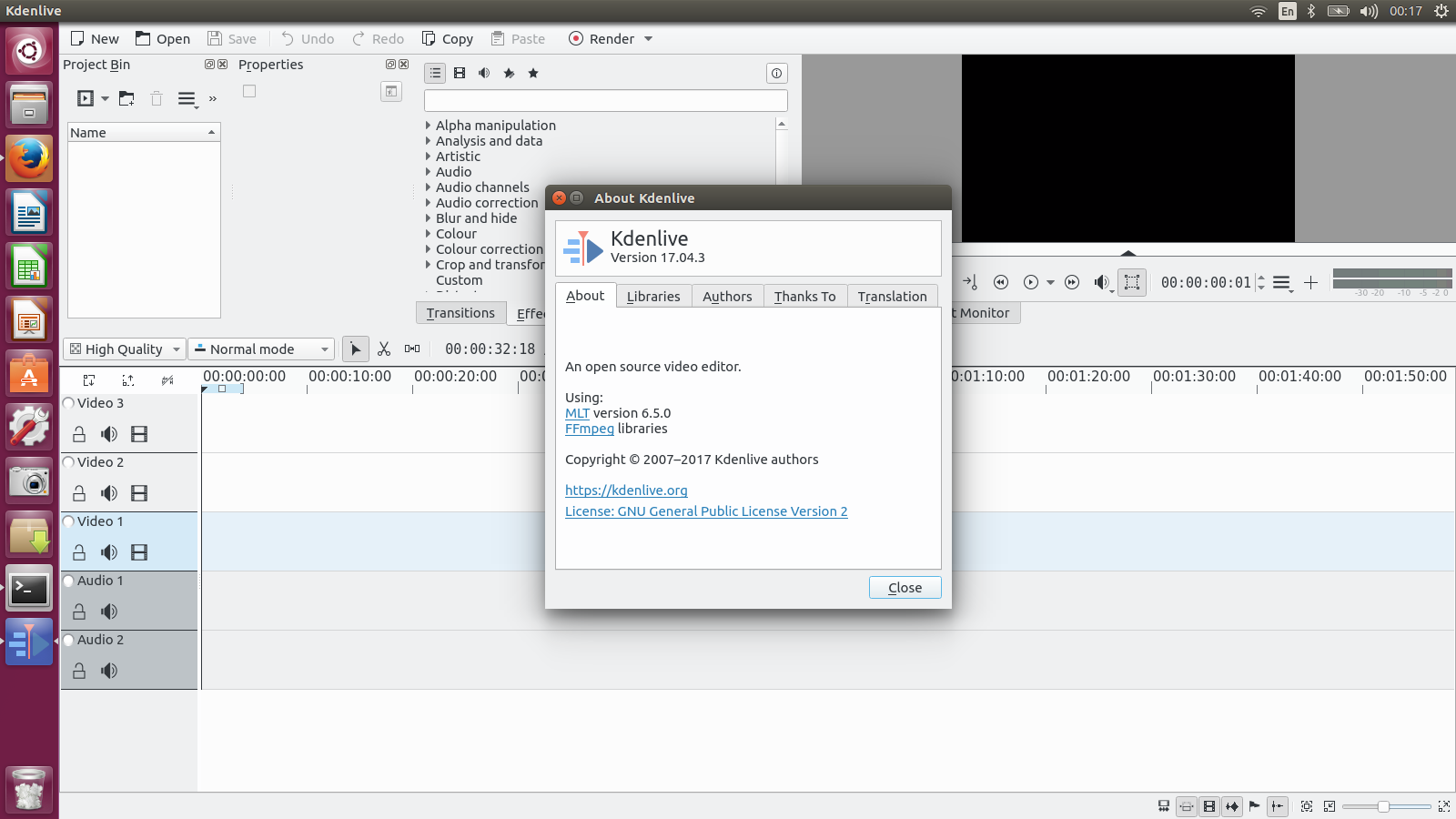
How to Install Kdenlive 17.04.3 Video Editor on Ubuntu 17.04, 17.10

    Kdenlive is an open source video editor. The project was started around 2003. Kdenlive is built on Qt and the KDE Frameworks libraries. Most of the video processing is done by the MLT Framework, which relies on many other open source projects like FFmpeg, frei0r, movit, ladspa, sox, etc…


Kdenlive 17.04.3 Changelog:
  • Fix crash on importing multistream clip.
  • Fix crash when creating proxies – real issue not yet fixed.
  • Fix compile (gcc7).
  • Show info on MLT found
  • Non-portable flag, let build system handle it.

Monday, October 16, 2017

How to install Screen Recorder on Ubuntu 16.04, 17.04 , 17.10

   Screen Recorder is a simple desktop recorder for Linux systems. Built using Python, GTK+ 3 and ffmpeg. It supports recording audio and video on almost all Linux interfaces. Also, Green Recorder is the first desktop program to support Wayland display server on GNOME session.


     Formats are currently supported: mkv, avi, mp4, wmv, gif and nut (And only WebM for Wayland's GNOME session). You can stop the recording process easily by right-clicking the icon and choosing "Stop Record". Or middle-clicking the recording icon in the notifications area

    It uses the D-Bus API to connect to the built-in screencasting tool in GNOME Shell. It uses this to record video. To record audio, it launches an instance of ffmpeg in the background. After the recording is finished, it merges the two files into the WebM file.

Wednesday, September 27, 2017

How to Install Pitivi video editor 1.0 on Ubuntu 16.04, 17.04

   Pitivi is a Free video editor with a beautiful and intuitive user interface, a clean codebase and a fantastic community.


   Pitivi aims to be an intuitive and flexible video editor that integrates well with GNOME and can appeal to newbies and professionals alike.

  Pitivi 1.0 release candidate “Ocean Big Chair” (0.99). This release has many bug fixes and performance improvements, and is a release candidate for 1.0. Our test suite grew considerably, from 164 to 191 meaningful unit tests.

Sunday, September 17, 2017

How to Install Shotcut Video Editor 17.09.04 on Ubuntu 16.04, 17.04

    Shotcut is a free, open source, cross-platform video editor for Windows, Mac and Linux. Major features include support for a wide range of formats; no import required meaning native timeline editing; Blackmagic Design support for input and preview monitoring; and resolution support to 4k.


Shotcut  17.09.04 Changelog:
  • Renewed the code signing certificate for the Windows installer and executable.
  • Updated SDL to v2.0
  • Updated FFmpeg to v3.2
  • Updated x264, x265, and vp8/9 to the latest stable versions.

How to install Blender 2.79 released on Ubuntu 16.04, 17.04

   Blender is the free and open source 3D creation suite. It supports the entirety of the 3D pipeline—modeling, rigging, animation, simulation, rendering, compositing and motion tracking, even video editing and game creation.


Blender 2.79  highlights:
  •    Cycles: Built-in Denoising, Shadow catcher, Principled shader, AMD OpenCL optimizations.
  •    Grease Pencil: New frame interpolation tools, per-layer onion skinning.
  •    Alembic: Improvements to compatibility, stability and support.
  •    User Interface: Initial support for reusable custom configurations, automatic DPI scaling.

Tuesday, September 5, 2017

How to install Curlew 0.2.4 GTK3 Video Converter for Linux

     Curlew is a free multimedia converter for Ubuntu Linux that features small package size, few library dependencies, 100+ output formats, easy to use UI, and more.


    Curlew is written in Python and GTK+ 3, and uses FFMPEG (or Libav-tools) to transcode media files. The main features are:

  •     Easy to use user interface (New GTK3 Header bar).
  •     Hide the advanced options with the ability to show them.
  •     More than 100 output formats.

Tuesday, August 22, 2017

How to Install MKVToolNix 15.0.0 on Ubuntu 16.04, 17.04

    MKVtoolnix is a set of tools to create, alter, split, join and inspect Matroska files(mkv). With these tools one can get information about (mkvinfo) Matroska files, extract tracks/data from (mkvextract) Matroska files and create (mkvmerge) Matroska files from other media files. Matroska is a multimedia file format aiming to become THE new container format for the future. Use MKVCleaver or gMKVExtractGUI to extract/demultiplex mkv video and audio files.


MKVToolNix 15.0.0 Changelog:
New features and enhancements
  •  MKVToolNix GUI: multiplex tool: added a new entry to the "source files" context menu labeled "Set destination file name from selected file's name". It will force the GUI to consider the selected file to be the reference for automatically setting the file name, no matter which file was originally added as the first file. It will also force setting the destination file name once if automatic destination file name generation is  turned off in the preferences. Implements part of #2058.

Monday, August 21, 2017

How to Install Shotcut Video Editor 17.08.02 on Ubuntu 16.04, 17.04

    Shotcut is a free, open source, cross-platform video editor for Windows, Mac and Linux. Major features include support for a wide range of formats; no import required meaning native timeline editing; Blackmagic Design support for input and preview monitoring; and resolution support to 4k.


Shotcut  17.08.02 Changelog:
  • Increased maximum Timeline zoom level.
  • Increased Speed field precision to 3 decimal places.
  • Increased maximum value for Speed field to 200x.

Sunday, August 20, 2017

How to Install Avidemux 2.7.0 on Ubuntu 16.04, 17.04

   Avidemux is a free video editor designed for simple cutting, filtering and encoding tasks. It supports many file types, including AVI, DVD compatible MPEG files, MP4 and ASF, using a variety of codecs. Tasks can be automated using projects, job queue and powerful scripting capabilities.


Avidemux is available for Linux, BSD, Mac OS X and Microsoft Windows under the GNU GPL license.

Avidemux 2.6.20 Changelog:
  • Core: The bundled FFmpeg has been updated to version 3.0.7
  • Core Encoder: A crash encoding MPEG-2 with B-frames disabled has been fixed
  • Core Encoder: An error due to invalid decoding timestamps at the end of encoding with MPEG-2 has been fixed

Monday, July 3, 2017

How to Install MKVToolNix 13.0.0 on Ubuntu 16.04, 17.04

    MKVtoolnix is a set of tools to create, alter, split, join and inspect Matroska files(mkv). With these tools one can get information about (mkvinfo) Matroska files, extract tracks/data from (mkvextract) Matroska files and create (mkvmerge) Matroska files from other media files. Matroska is a multimedia file format aiming to become THE new container format for the future. Use MKVCleaver or gMKVExtractGUI to extract/demultiplex mkv video and audio files.


MKVToolNix 13.0.0 changelog:
New features and enhancements

  • mkvmerge: MPEG TS reader: information about multiple programs will be output as container properties during verbose/JSON identification.
  •  MKVToolNix GUI: multiplex tool: added a column "program" to the tracks list. Certain container types such as MPEG transport streams can contain multiple programs. The new column will contain the service name (think TV

Tuesday, June 27, 2017

How to install Peek 1.0.3 - The Record Animated GIF Images on Ubuntu 17.04

Peek makes it easy to create short screencasts of a screen area. It was built for the specific use case of recording screen areas, e.g. for easily showing UI features of your own apps or for showing a bug in bug reports. With Peek you simply place the Peek window over the area you want to record and press "Record". Peek is optimized for generating animated GIFs, but you can also directly record to WebM or MP4 if you prefer.


    Peek is not a general purpose screencast app with extended features but rather focuses on the single task of creating small, silent screencasts of an area of the screen for creating GIF animations or silent WebM or MP4 videos.

Peek 1.0.3 Changelog:
  • package: fixed installing man page
  • package: fixed Debian packaging