Sunday, November 5, 2017

How to install SMPlayer 17.11 Released on Ubuntu 17.04, 18.04

   SMPlayer is a free media player for Windows and Linux with built-in codecs that can play virtually all video and audio formats. It doesn't need any external codecs. Just install SMPlayer and you'll be able to play all formats without the hassle to find and install codec packs.


SMPlayer is a graphical user interface (GUI) for the award-winning MPlayer, which is capable of playing almost all known video and audio formats. But apart from providing access for the most common and useful options of MPlayer, SMPlayer adds other interesting features like the possibility to play Youtube videos or download subtitles.

SMPlayer 17.11 Changelog:

  • The video equalizer by software has been fixed.
  • The thumbnail generator is now more precise with short videos.

How to install Qmmp Music Player 1.1.12 'Winamp Like' on Ubuntu 17.04, 18.04

   qmmp is a free and open-source audio player written in C++ with the help of the Qt library. It officially supports the operating systems Linux, FreeBSD and Microsoft Windows. It is the only audio player not featuring a database that uses the Qt library. The default user interface of qmmp is inspired by Winamp.


Qmmp 1.1.12 changelog:
  • fixed IPC regression.
  • added AAC mime types to the qmmp.desktop;
  • added album artist support in the cue parsers;
  • using game name as album tag in the gme plugin;
  • fixed seeking in the mpris plugin;

Saturday, November 4, 2017

How to Upgrade Ubuntu 17.04 to Ubuntu 17.10

Ubuntu 17.10 (Artful Aardvark) will be released on October 19, 2017. This version will be supported for 9 months until July 2018. For those looking for long term support versions of Ubuntu, they may want to install Ubuntu 16.04 (LTS) or wait for then upcoming 18.04 (LTS). The LTS versions are usually supported for 5 years.


Ubuntu 17.10 replaces Unity with Gnome Shell as its default desktop environment. It’s powered by 4.13 Kernel and runs Gnome on Wayland by default. Xorg is also available for choice.

Upgrade to Ubuntu 17.10 from Ubuntu 17.04

How To Install OpenShot Video Editor 2.4.0 released, Improved Stability On Ubuntu 16.04 & Higher

   OpenShot Video Editor is a free, open-source video editor for Linux. OpenShot can take your videos, photos, and music files and help you create the film you have always dreamed of. Easily add sub-titles, transitions, and effects, and then export your film to DVD, YouTube, Vimeo, Xbox 360, and many other common formats.


OpenShot Video Editor 2.4.0 Changelog:
openshot-qt (Video Editor)
  • Improving undo/redo support. Now the last X number of undo/redo actions are stored in the project file. The number can be adjusted in the prefences, under the auto-save tab. This also vastly improves the usefulness of the auto-save system, since it saves your undo/redo history as well.
  • Fixed Image Sequence exporting. Supports PNG, JPG, PPM, BMP and a few others. Also added 'Audio Only' and 'Video Only' export options.

Friday, November 3, 2017

Install Kid3 Audio Editor 3.5.1 Improved High-DPI Support on Ubuntu 17.04

   Kid3 is an open-source cross-platform audio tag editor for many audio file formats. It supports DSF, MP3, Ogg, FLAC, MPC, MPEG-4 (mp4/m4a/m4b), AAC, Opus, SPX, TrueAudio, APE, WavPack, WMA, WAV, AIFF, tracker modules.


Features

  • Edit ID3v1.1 tags
  • Edit all ID3v2.3 and ID3v2.4 frames
  • Convert between ID3v1.1, ID3v2.3 and ID3v2.4 tags
  • Edit tags in MP3, Ogg/Vorbis, DSF, FLAC, MPC, MP4/AAC, MP2, Opus, Speex, TrueAudio, WavPack, WMA, WAV, AIFF files and tracker modules (MOD, S3M, IT, XM)
  • Edit tags of multiple files, e.g. the artist, album, year and genre of all files of an album typically have the same values and can be set together.

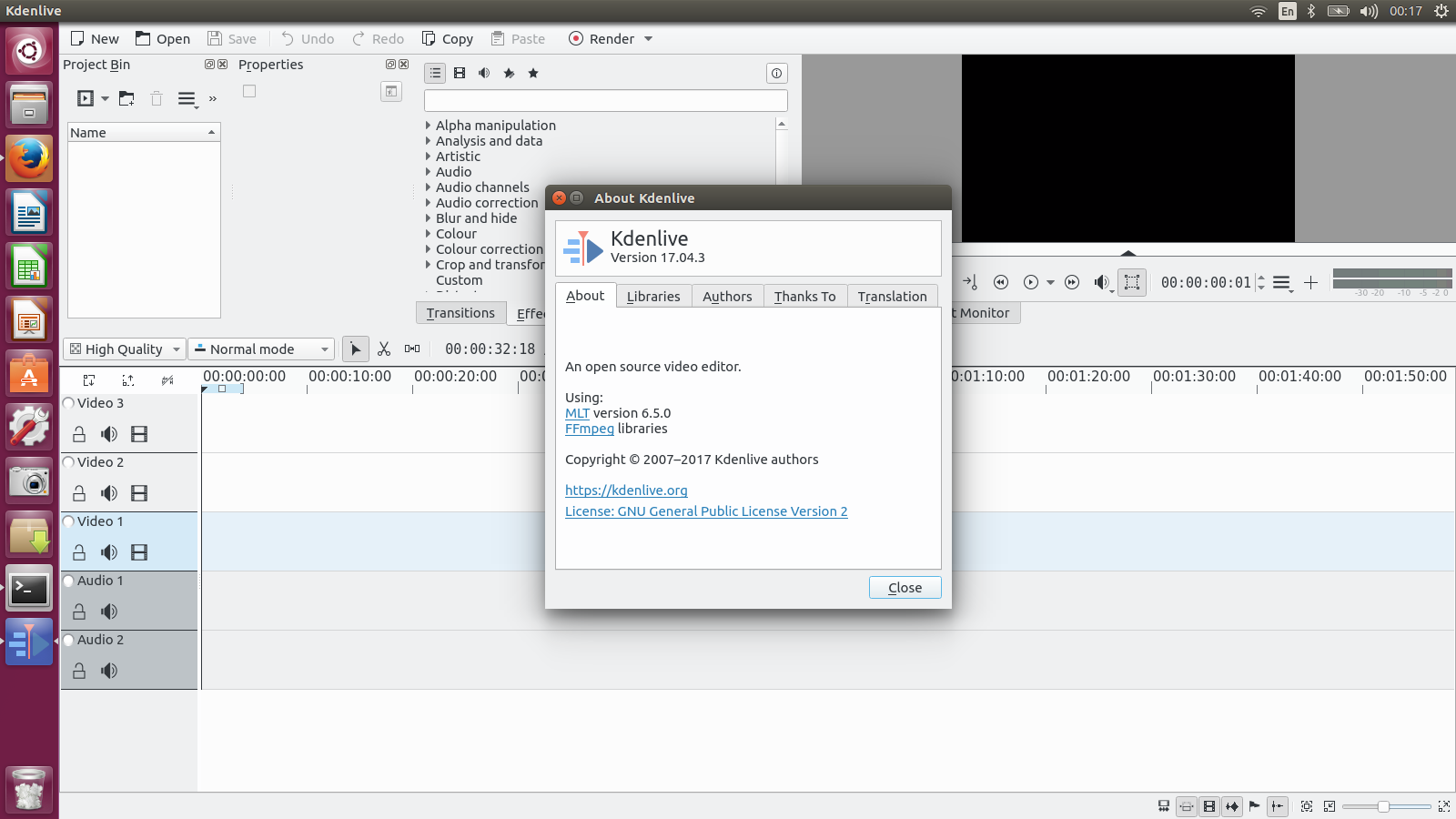
How to Install Kdenlive 17.04.3 Video Editor on Ubuntu 17.04, 17.10

    Kdenlive is an open source video editor. The project was started around 2003. Kdenlive is built on Qt and the KDE Frameworks libraries. Most of the video processing is done by the MLT Framework, which relies on many other open source projects like FFmpeg, frei0r, movit, ladspa, sox, etc…


Kdenlive 17.04.3 Changelog:
  • Fix crash on importing multistream clip.
  • Fix crash when creating proxies – real issue not yet fixed.
  • Fix compile (gcc7).
  • Show info on MLT found
  • Non-portable flag, let build system handle it.

Wednesday, November 1, 2017

How to Install SuperTuxKart 0.9.3 RC1 on Ubuntu, a 3D Kart Racing Game released

     SuperTuxKart, aka STK, released version 0.9.3 RC1 on October 28, 2017 the last big update before going on Steam, SuperTuxKart 0.9.3-rc1 dubbed the "Halloween Update". It’s a free, open-source and cross-platform racing game available for Linux, OS X and Windows. It features the mascots of many open source project like Tux, Beastie, Pidgin, Wilber etc, with Mozilla Thunderbird being the referee.


New Features and bug fixes in SuperTuxKart 0.9.3 RC1
  • To help you navigate in the dark, karts now have headlights that are automatically turned on during night time.
  • A lot of the annoying physics bugs were corrected by hiker. Karts should no longer bump randomly against walls.
  • Karts have also exhaust smoke coming out of their pipes.